.svg)


 GnetFarm-outs & farm-ins
Live dispatch · billing · driver ops
Dispatch that keeps up with the phone.
One board runs the whole job — quote, assign, auction, trip status, card capture, driver pay, invoice. Your team stops keeping a second system in their head.
Trip statusOn the way
Board refresh
10sauto
10 secondsLive board refresh on ranges of 3 days or less
Pending → SettledOne job lifecycle, nine status lists, no spreadsheets
Auth · CaptureCard holds, partial capture and refund inside the job
Every editJob history and org audit logs, down to the field
01 — Surfaces
One board, three surfaces.
The dispatch desk, the manager's laptop, the road. Same jobs, same statuses, same money — no exports in between.
Live locations, on the floorDriver pins, live routes and per-driver history replay.
The dispatch deskDate-range board, status-tinted rows, compact or grid, columns your team chose.
Job, money, driver payTrip, passengers, stops, pricing and the payment window in one screen.
The command center
Every ride, driver, and dollar on one screen
No tab-hopping, no paper run sheets — a live board your whole dispatch team can trust.
Today's trips, driver locations, unassigned rides, and outstanding payments in a single view. Accept a farm-in, assign a chauffeur, and send the confirmation without leaving the board.
02 — Modules
Every screen your day happens on.
Screens below are simplified stand-ins — structure and colour only. Real layouts and live data are shown in the demo.
Jobs
The board, for a date range
Pick your range, filter by status or type, search, sort, and open a job. Rows carry their trip status as a tint, so a cancellation or a no-show reads from across the room.
- Compact cards or full grid — columns, widths and order per user
- Auto-refresh every 10 seconds on ranges of 3 days or less
- Status filters, type filters, free-text search
- Assign, offer, auction or farm out without leaving the row
03 — Anatomy
Built from parts a dispatcher can trust.
Status chips that mean one thing. A pay summary that adds up. A driver offer that closes the loop. Small components, used the same way on every screen.
Status, one vocabularyPending, Confirmed, On the way, In car, Done, Cancelled — tinted the same everywhere.
Money that reconcilesTotal, due, authorized and pending holds shown as separate truths.
Driver offer
AcceptDecline
Pay summary
Base fare348.00
Extras42.00
Due390.00
04 — Money, close up
The whole fare is editable, inside the job.
Base fare, waiting time, extra stops, add-ons, tolls, gratuity, discounts and tax are rows — edit one, add one, delete one, and the customer total and driver pay re-price as you type. Card holds and partial captures follow the same record.
Pay summary of job #10482 — waiting time being re-rated, with fare override standing by for the nights you agree a number instead.
Card actions
AuthorizeCapture 250.00Refund
Effective due
total555.39
authorized250.00
captured158.50
effective146.89
The fare is editableEvery charge row — base fare, waiting time, stops, add-ons, tolls, gratuity, discounts, tax — can be edited, added or removed inside the job, and the total re-prices as you type.
Due vs effective dueAuthorized and pending holds reduce what is actually owed, so a low Due never quietly means a free trip.
Partial captureCapture less than you authorized and refund part of what you captured — the math stays attached to the job, not to a terminal receipt.
One update at a timeBatch invoicing and payouts refuse to overwrite each other; you get “another update in progress” instead of a silent double charge.
Which card paysBooker cards and billing cards are separate lists with explicit rules, so nobody charges the wrong company.
Pay logsEvery payout method, adjustment and reconciliation line is kept per driver and per affiliate.
05 — Inbox
Answer the email where the job already is.
Connect your mailboxes and the console becomes the place your team reads and replies. Threads attach to a job, a quote or an invoice, every reply leaves in your branding, and AI writes the first draft from the record already on screen.
ops@ · bookings@ · accounts@ · vip@ — four mailboxes, one queue, and a permission deciding who opens which.
AI draft4s
WarmShortRewrite
Branding applied
logoon
signatureJoss L.
colours#C9873F
sending asops@
Every mailbox, one consoleops@, bookings@, accounts@ and vip@ land in the same place your jobs live — no second tab, no forwarding rules.
AI drafts the replyOne click writes the answer from the job it is attached to — the right total, the right pickup, the tone you picked.
Branding applied on sendYour logo, colours and signature go on automatically, so a reply typed in four seconds still looks like your company.
Attached to the jobThreads bind to a job, quote or invoice, so the next dispatcher reads the whole conversation without asking.
Reply from the threadSend, schedule, attach a payment link or turn a good answer into a template — without leaving the message.
Who sees which mailboxMailbox access is a permission like any other, so accounts@ is not open to the whole dispatch floor.
06 — Channels
WhatsApp, Telegram, Instagram, Messenger — one queue.
Customers do not care which app they opened. Connect the ones they use and every message lands in the same place, against the same customer, with the same job history behind it.
WhatsApp BusinessVerified number, templates, media, group-free 1:1 threads
TelegramDirect chats and bots for drivers and repeat customers
Instagram DMHotel and concierge enquiries, answered in the console
MessengerPage messages routed to the same queue as everything else
SMSRingCentral or Twilio, with replies threaded per customer
Chat botsQuote, hold and confirm automatically, then hand to a human
Bot → humanHanded over
Bots take the first messageA bot answers the price question at 02:00, holds the slot, and hands over with the whole thread intact.
One customer, every channelWhatsApp, a DM and an email from the same person collapse into one customer record and one history.
Turn a chat into a jobCreate the job, send the quote, take the payment link — from inside the conversation, without retyping anything.
07 — VoiceComing soon
Take the call in the console. Place it from there too.
The number rings and the customer appears — their account, their open jobs, what they owe and where they went last time. Notes and the recording stay on the job, so the promise made on the phone is not a promise only one person heard.
Currently in development. Ask to see the working build in your demo — the rest of this page is live today.
Inbound02:41
Carter Groupcorporate
open jobs#10482 · #10496
balance146.89
The caller is already on screenThe number matches a customer, so their open jobs, balance and last ride are in front of you before you say hello.
Dial out from the recordCall a customer, a chauffeur or an affiliate from their row — the console places it on your business number.
The call sticks to the jobNotes and the recording attach to the job, so the promise made on the phone is not a promise only one person heard.
08 — The flow
Board → job → money. Three layers, one record.
Nobody re-types a booking. The row you assign on the board is the job you price, and the job you price is the invoice you collect.
01Dispatch board
Row assigned, status tinted, driver offered.
02Job detail
Trip, stops, passengers, pricing, driver pay.
03Money
Capture, invoice, payout, pay log — same record.
09 — Live
Where the cars actually are.
Live driver positions with pickup timezone resolved per job, so a New York desk running a Los Angeles pickup still reads the right clock.
Live map + per-driver viewOpen one driver, follow the trip, replay route history later.
Tenant timezone integrityWall clock or absolute time on a zone change — your call, logged either way.
ZonesIn previewDraw operating zones, price by zone pair, keep out-of-zone work visible.
10 — On the road
Your drivers get the job, not a phone call.
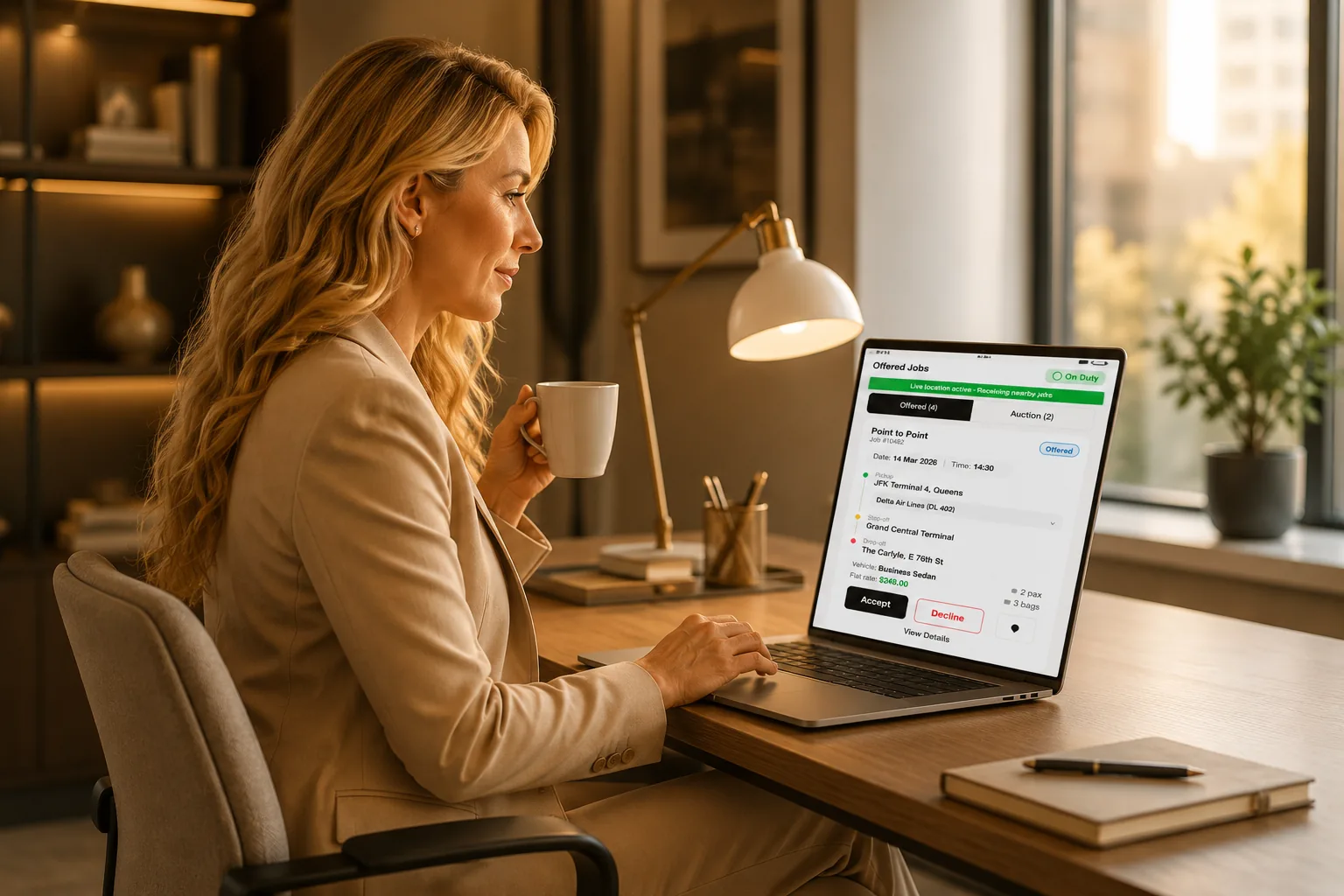
Offers and auctions arrive on the driver's phone with the pay already on them. Accept, decline, or bid — and every trip status they tap lands back on your board.
Offer, or open it to auctionOne named driver, or every matching driver by vehicle type and VIP tier — accept, decline, or show interest.
Pay shown before they acceptCommission, fixed or hourly, calculated on the job, so nobody negotiates after the trip.
Trip statuses land on your boardOn the way, at pickup, customer in car, dropped off — the same vocabulary your dispatcher reads.
Affiliate chauffeurs includedPartner drivers work your job from the same app while seeing only what they should.
Auction
3 interested276.00
11 — On the go
The whole console fits in a pocket.
Not a cut-down companion app — the same console, the same permissions, the same money, laid out for a thumb. An owner can approve a payout on a platform, and a dispatcher can cover the Friday rush from a taxi.
Board, job, inbox, live map and finance — every module the browser gives you, on the phone you already carry.
The board, not a boardThe same date-range list, the same status vocabulary, the same filters — laid out for a thumb instead of a mouse.
Capture from the car parkAuthorize, capture and send a payment link from the phone; permissions apply exactly as they do at the desk.
The inbox travels tooMail, WhatsApp and SMS in one list, with AI drafts, so an owner can clear the queue between meetings.
Where the cars areLive driver positions and trip statuses, on the phone, in the tenant dispatch timezone.
12 — ZonesIn preview
Draw your territory. Price the pairs.
Zones turn the map into pricing. Draw the areas you actually serve, set a rate for each zone pair, and let out-of-zone work announce itself instead of quietly eating the margin.
Draw the areas you serveOperating zones on the map instead of a list of postcodes in a binder.
Rate per zone pairA to B, B to airport, inside a single zone — priced once, applied on every quote.
Out-of-zone is visibleWork outside your territory is flagged rather than absorbed at the standard rate.
Assign by zoneMatch drivers to the zone they actually start their day in.
Zone pair rate
145.00
13 — Pricing
One rate card, and the exceptions you actually agreed.
Base, per mile, per hour and minimum hours for every vehicle type, with rush hour, airport fees, tolls and gratuity applied as rules. Then the part every operator has in a notebook: the rate one customer negotiated, written down where it will be honoured.
Northbridge Legal pays 128.00 on JFK ↔ Manhattan. Everyone else pays 145.00. Neither number lives in a dispatcher's memory.
Override · Northbridge
Inherited by 14 members
default145.00
override128.00
until31 Dec 2026
Rates per vehicle typeBase, per mile, per hour and minimum hours for every vehicle type you run — priced once, applied on every quote.
Surcharges that behaveRush hour, airport fees, tolls, gratuity and global charges are rules, not something a dispatcher remembers.
Customer-level overridesA percentage off, a fixed zone-pair rate, a different hourly minimum — attached to one account, with an end date.
Inherited by membersCorporate members book at the account's rate without anybody quoting the wrong number to a colleague.
14 — Campaigns
Talk to everyone you work with, not just buyers.
Build an audience out of the data you already hold — lapsed riders, corporate members, VIP tiers, affiliate fleets, your own chauffeurs — then send it by email, SMS and WhatsApp at once and count the result in jobs.
Coupons come back attached to real trips, so a campaign is measured the same way a Friday night is.
Audience
ECNBMHSW+3,185
customers2,481
affiliates63
chauffeurs128
Three audiences, one builderCustomers, affiliates and chauffeurs are segments — lapsed riders, VIP tiers, corporate members, partner fleets.
Email, SMS and WhatsAppWrite once, send across the channels each person actually reads, with merge tags from the same job data.
Measured in jobs, not opensSent, delivered, opened, clicked — and then booked, because the coupon comes back attached to a real trip.
15 — Find partners
1,240 fleets. 62 countries. Search, request, connect.
When the job is in a city you do not cover, you do not need a friend of a friend. Search the directory by city, country, fleet size and vehicle class, send a connection request, agree the pay basis — and farm out from your board the same afternoon.
Search the directoryFilter by city, country, fleet size and vehicle class, and see who actually covers the airport you are quoting.
Rated on completed workRatings come from jobs run through the network, not from a profile somebody wrote about themselves.
Connect, then farm outSend a request, agree the pay basis, and the partner appears in your farm-out list on the board that afternoon.
ConnectionAccepted
Sterling CarsLondon
pay basisNet 78%
16 — Appearance
Your palette. Your logo. Light or dark, per person.
The console is not stuck on our colours. Pick a preset or paste your own hex, choose light or dark, upload a logo — and the whole thing follows, down to the status tints and the charts.
Try it. The swatches below are wired to the screens — they really re-render, and so does the phone.
Six palettes, or your ownStart from a preset or paste your brand hex. Nav, buttons, chips, charts and status tints all move together — nothing is left champagne.
Light and dark, per personThe organisation picks a default; each user can still choose their own, or follow whatever their machine is set to.
It reaches the customerThe same palette and logo go onto quotes, invoices, receipts, email and SMS templates — and the passenger booking site.
One upload, everywhereDrop in a logo once and it appears in the sidebar, on the mobile console, on printed invoices and at the top of every email.
17 — Template Studio
Every email and text, in your own voice.
Drag blocks into an email, drop merge tags into the copy, preview it against a real job, then decide whether it sends itself or waits for a dispatcher.
Confirmation, quote, driver assigned, on the way, receipt, invoice, payment link, no-show — each template carries its own recipients, timing and send rules.
The email builderLayout blocks on the left, the email in the middle, block settings and merge tags on the right.
Preview against a real jobEvery tag resolved with actual data before a template is published — no test sends into the dark.
SMS bodies and send rulesAuto-send on a status change and manual send from the job are separate switches — replies land in the SMS inbox.
18 — Features
Ten things it does properly.
Everything else — reports, website services, coupons, exports — comes with it. These are the ten that change your day.
01
Jobs
Dispatch board
A date-range operations board with status-tinted rows, compact and grid modes, per-user columns and 10-second auto-refresh on short ranges.
Auto-refresh pauses above a 3-day range so long views stay stable.
02
Jobs
Assign, offer, auction
Offer a job to one driver, or auction it to every matching driver by vehicle type and VIP tier, then approve from the interested list.
Interested drivers queue up; approving one withdraws the rest.
03
Jobs
Job lifecycle
Quote to reservation, pending to confirmed, trip statuses from on-the-way to done, cancelled billable or not, settled — plus reopen and restore.
Nine status lists share one job record and one history trail.
04
Finance
Payments on the job
Authorize, capture, partially capture and refund cards inside the job. Payment links for the customer, cheque, cash and wire recorded properly.
Guest cards for walk-ups; permissions decide who may capture.
05
Finance
Pay summary and pricing
The entire fare is editable inside the job: every charge row can be changed, added or deleted, with extra charges, fare override, hourly and one-way models, and add-ons like child seat or meet and greet.
Changing the customer re-prices the job and says so before saving.
06
Finance
Invoices, payables, pay logs
Batch jobs into invoices, chase receivables, batch payouts to drivers and affiliates, and reconcile every method in pay logs.
Unfinalized to finalized to closed, with a deliberate reopen path.
07
Affiliates
Affiliates and farm-out
Local affiliates and Gnet partners, farm-out both directions, affiliate pay separate from driver pay, and a restricted portal for partners.
Farm-out status maps onto your own trip statuses, both directions.
08
Customers
Customers and corporates
Private customers and corporate accounts with members, billing preferences, saved cards, booker versus billing card rules, and coupons.
Members inherit the corporate account without re-entering billing.
09
Configurations
Templates and messaging
Template Studio for HTML email, SMS bodies with merge tags, per-template recipients and timing, and an SMS inbox for the conversation.
Preview against a real job before a template ever sends.
10
Configurations
Users, roles and audit
Permissions live on roles with a hierarchy you cannot grant above, permission playbooks per job function, and audit logs for the job and the org.
A missing menu is a missing permission — and the log says who changed it.
Also included
Reports hubVehicle types & ratesRush-hour pricingZones (preview)CouponsGlobal chargesShared dataExport / importWebsite servicesWeb widgetsContact enquiriesDriver route historyGlobal searchTenant timezoneJob historyQuote expiry

19 — Switching
Coming off legacy dispatch software?
Bring customers, drivers, vehicle types and rates in with an import, set your timezone and roles, and run one week side by side. Your dispatchers keep the vocabulary they already use.
Legacy
LimoSphere
Board refresh
Hit refresh, or call the driver
10s auto-refresh, status tints
Driver assignment
Phone tree
Offer, or auction to matching drivers
Card payments
Separate terminal
Authorize / capture / refund in the job
Driver pay
Spreadsheet each week
Computed on the job, batched payouts
Affiliate work
Email and hope
Farm-out, Gnet, partner portal
Who changed it
Nobody knows
Job history + org audit logs
Access control
One shared login
Roles, hierarchy, playbooks
20 — Network
Farm out. Get farmed in. Get paid either way.
Send overflow to local affiliates or over Gnet, or take work from partners into your own board. Affiliates log into their own portal, see only their jobs, and settle through Payables.
Local affiliatesAdd partners, set their pay basis, send them work from the board.
Gnet in and outCredentials once, then farm out or accept jobs over the network.
Affiliate chauffeursPartner drivers assigned to your job, visible on your board.
SettlementAffiliate pay tracked apart from driver pay, settled through Payables.
Integrations that already carry your money and messages
St
StripeCard capture, payment links, Connect payouts to drivers
Gn
GnetAffiliate farm-out network, in and out
RC
RingCentralSMS from the job, plus support and emergency numbers
Tw
TwilioSMS delivery as an alternative carrier path
Fa
FlightAwareArrival tracking that moves the pickup when the flight moves
Go
Google Places & MapsAddresses, routes, and pickup timezone resolution
21 — Control
Permissions on roles, not on people
Menus and buttons come from the role. You can only grant what you hold, and only manage roles below yours. Playbooks give you a working dispatcher, accountant or owner role on day one.
Works with your stack
Connected to the tools your fleet already runs on
GnetFarm-outs & farm-ins FlightAwareFlight tracking
 RingCentralCalls & SMS
 TwilioSMS delivery
 WhatsAppCustomer chat
 GmailMailbox sync
 Apple PayOne-tap checkout
Frequently Asked Questions
Yes. LimoSphere dispatch works on desktop and mobile, so you can quote, assign, and track rides from anywhere.
Yes — through the integrated Gnet network you can farm out rides to affiliates and accept farm-in trips from partners in 60+ countries.
Through Stripe Connect. Drivers see their paylogs and dues in the chauffeur app and withdraw available funds directly — no manual transfers.
Yes. Our team helps you migrate customers, rates, and upcoming reservations so you switch without losing a single trip.
Most fleets are live within weeks. Guided onboarding covers setup, rates, apps, and training for your dispatch team.
See it run your Friday night.
Bring one real weekend of work. We will set up your vehicle types, rates and roles, and walk the board with your dispatcher.
45 minutes, no slides.
Pricing